
Your Friendly 2026 Guide to Effortless Homeschool Assignment Management
Struggling to keep track of math worksheets, history projects, and science experiments can quickly drain the joy from your homeschool day. Creating a smooth system for how to manage homeschool assignments is the key to transforming that chaos into calm, confident learning. This guide will walk you through building a simple, effective process that works for your unique family, giving you more time for teaching and connection.
Quick Answer
The best way to manage homeschool assignments is by creating a consistent weekly workflow that includes planning, assigning,tracking, and reviewing tasks. This is most effective when you combine a clear routine with the right tools—like a digital planner or dedicated assignment sheets—and actively teach your children age-appropriate skills for managing their own work. The goal is to reduce your administrative burden while empowering your kids to become independent learners.
TL;DR
- A consistent weekly routine is the foundation for managing assignments without the daily scramble. See how to build your assignment workflow.
- The right tool, whether digital or paper, provides a central hub for tracking everything your child needs to do. Compare digital vs. paper planner options.
- Teaching your children to manage their own tasks fosters independence and critical life skills. Discover strategies for fostering student independence.
- Simple grading strategies focused on feedback, not just scores, offer meaningful insight into your child's progress. Learn the basics of simple, effective grading.
- Organized records ensure you meet legal requirements and have a beautiful portfolio of your child's learning journey. Understand the essentials of homeschool record keeping.
In This Article
- Why Does Effective Assignment Management Matter in 2026?
- How Do You Build a Homeschool Assignment Workflow?
- Should You Use a Digital or Paper Homeschool Planner in 2026?
- How Can You Teach Kids to Manage Their Own Schoolwork?
- How Should You Grade Homeschool Assignments?
- How Do You Manage Assignments When Homeschooling Multiple Grades?
- How Can You Organize a Homeschool in a Small Space?
- What Are the Homeschool Record Keeping Requirements for 2026?
- What Is a Homeschool LMS for Parents (and Do You Need One)?
- Frequently Asked Questions
- Conclusion: Creating Calm and Confidence in Your Homeschool
Why Does Effective Assignment Management Matter in 2026?
Effective assignment management is crucial for homeschooling success in 2026 because it dramatically reduces parental stress, builds student accountability, and provides a clear, real-time overview of educational progress. With homeschooling rates remaining strong after a reported 5% increase since 2025, families are looking for sustainable practices that prevent burnout. A solid system for managing assignments is the difference between a frantic, paper-strewn environment and a calm, productive one.
Assignment Management is the process of organizing, tracking, and evaluating your children's tasks to ensure learning objectives are met efficiently. It's not just about creating lists; it's about building a predictable rhythm that benefits both you and your kids.
For parents, this means fewer "Did you finish your math?" questions and more confidence that learning is on track. For children, it provides the structure they need to understand expectations, prioritize tasks, and develop the executive functioning skills essential for lifelong success. In our experience, families who master this feel more in control and find more joy in their educational journey.
How Do You Build a Homeschool Assignment Workflow?
Building an effective homeschool assignment workflow starts with a simple, repeatable routine. Instead of reinventing the wheel every day, you can establish a predictable four-step process that brings clarity and order to your week. This system helps you plan ahead, communicate expectations clearly, and track progress without constant oversight.
Here is a simple workflow you can adapt for your family:
- Plan (Weekly): Before the week begins, take 30-60 minutes to outline the assignments for each child. This involves reviewing your curriculum, setting learning goals, and gathering any necessary materials. This is your high-level strategy session.
- Assign (Daily/Weekly): Communicate the assignments to your child. This could be a morning meeting where you discuss the day's tasks, a printed checklist, or an update in a shared digital app. The key is making sure your child knows exactly what is expected.
- Track (Ongoing): This step is about monitoring completion. It could be as simple as your child checking off a list or as detailed as you reviewing submitted work in a digital portfolio. A central tracking system prevents assignments from getting lost and gives you a quick snapshot of progress.
- Review (Weekly): At the end of the week, review completed work with your child. This isn't just about grading; it's a chance to celebrate effort, discuss challenges, and provide encouraging feedback. This step closes the loop and informs your planning for the following week.
Popular scheduling methods can be integrated into this workflow to fit your family's rhythm. Loop scheduling is a method where you cycle through a list of subjects in order, rather than assigning them to specific days, which adds flexibility. Block scheduling involves dedicating longer chunks of time (e.g., 90-120 minutes) to a single subject, allowing for deeper dives into projects or complex topics. The goal is consistency, not rigidity.
Key takeaway: A repeatable weekly workflow—Plan, Assign, Track, Review—is the most reliable way to manage homeschool assignments and reduce daily decision fatigue.
Should You Use a Digital or Paper Homeschool Planner in 2026?
The choice between digital and paper homeschool planners in 2026 depends entirely on your family's needs, tech comfort, and lifestyle. There is no single "best" answer; the right tool is the one you will use consistently. Digital tools offer automation and accessibility from anywhere, while paper provides a tangible, screen-free way to organize your day.
Digital planners have seen a huge rise in popularity because of their flexibility and powerful features. After testing multiple platforms, we've found that tools like Trello or dedicated apps can streamline everything from lesson planning to grading. Automated reminders, the ability to link to online resources, and instant updates are significant advantages.
On the other hand, a simple printable or a beautifully bound paper planner can be just as effective. The physical act of writing things down and checking them off can be very satisfying for both parents and kids. Paper planners are also free from the distractions of the digital world and are always accessible, with no concerns about battery life or internet connections.
Here’s a direct comparison to help you decide:
| Feature | Digital Planners (e.g., LearnSpark, Trello) | Paper Planners (e.g., Printables, Binders) |
|---|---|---|
| Accessibility | Accessible on phone, tablet, computer | Requires carrying the physical planner |
| Flexibility | Easily change and reschedule tasks; drag-and-drop | Changes may require erasing or re-writing |
| Automation | Automatic reminders, recurring tasks, progress summaries | Fully manual; no automated features |
| Collaboration | Easy for multiple family members to view and update | Typically managed by one person |
| Distraction-Free | Can have notifications and other digital distractions | Completely screen-free and focused |
| Cost | Often involves a subscription fee (free versions exist) | Can be very low-cost or free (printables) |
| Record Keeping | Automatically creates a digital record of completed work | Requires manual filing and organization of papers |
Many families find a hybrid approach works best, using a digital tool for long-term planning and record-keeping while using a daily paper checklist for the kids. For a deeper dive into digital options, see our review of the best homeschool lesson planning apps. Ultimately, the perfect system is one that simplifies your life and empowers your child, regardless of the format.
How Can You Teach Kids to Manage Their Own Schoolwork?
Fostering independence in schoolwork means gradually transferring responsibility from your shoulders to your child's. This is achieved by providing clear expectations, age-appropriate tools, and consistent support, teaching them the crucial executive functioning skills they'll need for life. The goal is to move from being a manager to being a mentor.
This process starts with external structure and slowly helps your child internalize it. For a young child, this might mean a picture-based checklist. For a teenager, it could involve teaching them how to use a digital project management tool to break down a large research paper into smaller tasks. You can explore options in our comparison of digital and paper planners.
Here are some practical strategies you can implement right away:
- Make it Visual: Use a whiteboard or a large paper calendar in a central location. In the morning, list the day's tasks. Your child gets the satisfaction of physically checking off or erasing each item as they complete it.
- Teach "First...Then...": For younger kids or those easily overwhelmed, frame tasks in a simple sequence. "First, finish your three math problems, then you can have your screen time." This helps them see a clear path to a desired reward.
- Use Time-Blocking: Introduce the concept of a timer. Use a visual timer for younger kids. For older ones, the Pomodoro Technique (25 minutes of focused work followed by a 5-minute break) is a proven method for building focus and avoiding burnout.
- Create Assignment Hubs: Designate a physical "inbox" and "outbox" tray for each child. When they finish an assignment, they place it in the outbox for you to review. This creates a simple, physical workflow that everyone understands.
- Introduce Student Planners: Around 3rd or 4th grade, introduce a simple student planner. At first, you'll fill it out together. Gradually, they will take over writing down their own assignments, learning to plan their time. For a middle schooler, a Kanban board is a visual project management tool that helps organize tasks into columns—typically "To Do," "In Progress," and "Done." This method can be a game-changer for teaching them to manage multi-step projects.
By teaching your children how to manage their work, you're giving them a gift far more valuable than a completed worksheet. You're building their confidence, competence, and self-reliance.
How Should You Grade Homeschool Assignments?
Grading homeschool assignments doesn't have to feel like a stressful, formal evaluation. For most of your homeschool journey, the focus should be on providing constructive feedback and measuring mastery rather than simply assigning a letter or a number. Simple, consistent feedback is far more valuable than a complex grading system.
The primary goal of assessment in a homeschool setting is to understand what your child knows and where they need more support. This allows you to adjust your teaching in real-time. Instead of fixating on percentages, consider these more holistic and less stressful methods:
- Rubrics: For projects, essays, or complex assignments, a simple rubric is your best friend. A rubric is a chart that outlines the expectations for an assignment. You can create one with rows for criteria like "Clarity," "Effort," and "Accuracy," and columns for levels like "Excellent," "Good," and "Needs Improvement." This makes your feedback specific and objective.
- Portfolio Review: A portfolio is a purposeful collection of a child's work that demonstrates their effort, progress, and achievement over time. Instead of grading every single paper, you can select the best pieces for the portfolio. Reviewing this collection together every month or quarter provides a rich and encouraging picture of their growth.
- Discussion-Based Assessment: Often, the best way to know if your child understands something is to talk about it. Following a reading or a science experiment, have a conversation. Ask open-ended questions like "What was the most interesting part of that chapter?" or "What would you do differently next time?" Their answers will reveal their level of comprehension far better than a multiple-choice quiz.
- Mastery Check-ins: For skill-based subjects like math or phonics, a simple "pass/needs more practice" system works wonderfully. If a child masters a concept, they move on. If not, you simply spend more time on it. There's no "failure," only a need for more time and support. Narrative assessments, which involve writing a short paragraph about your child's progress, strengths, and areas for growth, are also a fantastic way to document learning without traditional grades.
As you approach high school, you may need to translate this work into more traditional grades for transcripts. This is often done by assigning a grade based on the portfolio, rubric scores, and your overall assessment of their mastery. For those looking for more comprehensive record-keeping solutions, exploring the best homeschool reporting tools can provide structured ways to generate these reports.
Key takeaway: Meaningful feedback and assessing for mastery are more important than traditional grades. Use tools like rubrics and portfolios to track progress without the pressure of constant scoring.
How Do You Manage Assignments When Homeschooling Multiple Grades?
Managing homeschool assignments for multiple grades requires intentional planning, a flexible homeschool schedule, and leveraging shared learning opportunities to keep everyone engaged without burning yourself out. The key is to think "consolidate," "combine," and "conquer" by working smarter, not harder.
Instead of trying to run three separate "classrooms," the most successful multi-grade homeschools find ways to bring children together. This is often done through unit studies, an approach where multiple subjects (like history, science, and art) are integrated around a single, central topic. For example, you might all learn about Ancient Egypt together. Assignments are then scaled to be age-appropriate for each child.
Imagine a central topic, like "Rainforests," as the trunk of a tree. From this trunk, different branches extend for each age group. The branch for an early elementary student (K-2) might have assignments like drawing a toucan or practicing letter sounds with animal names. The branch for an upper elementary student (3-5) could involve writing a short report on the layers of the rainforest. For a middle schooler (6-8), the branch might lead to a research project on the impact of deforestation, complete with citations. Everyone learns together from the same core, but their work reflects their individual skill level.
Here is an example of a tiered assignment structure for a "Rainforest" unit study:
| Feature | Early Elementary (K-2) | Upper Elementary (3-5) | Middle School (6-8) |
|---|---|---|---|
| Reading | Listens to read-aloud about rainforest animals. | Reads a chapter book set in the Amazon. | Reads non-fiction articles on biodiversity. |
| Writing | Practices letter sounds with animal names (e.g., "S" for sloth). | Writes a short report on the layers of the rainforest. | Writes a research paper on the impact of deforestation. |
| Art | Draws and colors a picture of a toucan. | Creates a diorama of the rainforest floor. | Sketches botanical illustrations of rainforest plants. |
| Science | Learns about what animals eat. | Studies the water cycle's role in the rainforest. | Analyzes data on species endangerment. |
Here’s a practical approach for managing workflow across different ages:
- Combine Subjects: History, science, literature, art, and music are wonderful subjects to teach together. Everyone listens to the same read-aloud or watches the same documentary. Then, the assignments differ:
- 3rd Grader: Draws a picture of a key historical event and writes a few sentences about it.
- 8th Grader: Writes a one-page persuasive essay arguing a position related to the same event.
- Stagger Your Time: While older children are working on independent assignments (like algebra or a research project), you can focus on one-on-one instruction with your younger children for subjects like phonics and early math.
- Encourage Peer Tutoring: Create opportunities for your older children to "teach" a concept to their younger siblings. This is a powerful learning tool for both of them. The older child solidifies their knowledge by explaining it, and the younger child often responds well to learning from a big brother or sister.
- Prioritize Independent Work Stations: Set up your learning space so that each child has a designated area where they can work without distraction when necessary. This is crucial for times when one child is doing a quiet reading assignment while another is practicing a musical instrument.
In practice, this kind of blended learning creates a dynamic and collaborative family environment. By focusing on shared experiences and tiered assignments, you can create a rich educational atmosphere that respects each child's individual level. This also simplifies your homeschool record keeping, as you can document group activities alongside individual work.
How Can You Organize a Homeschool in a Small Space?
Efficient homeschool organization in small spaces demands creative storage solutions, a smart embrace of digital resources, and a disciplined "less is more" approach. You don't need a dedicated schoolroom to have a productive and organized homeschool; you just need to make your space work for you.
The key to success is thinking vertically and multi-functionally. When floor space is limited, use your walls. When you buy furniture, think about how it can serve more than one purpose.
Here are some essential tips for organizing your homeschool in a small area:
- Go Vertical: Use tall, narrow bookshelves instead of wide ones. Install floating shelves on walls to hold books and supplies that aren't in daily use. Over-the-door shoe organizers are perfect for storing art supplies, flashcards, and small manipulatives.
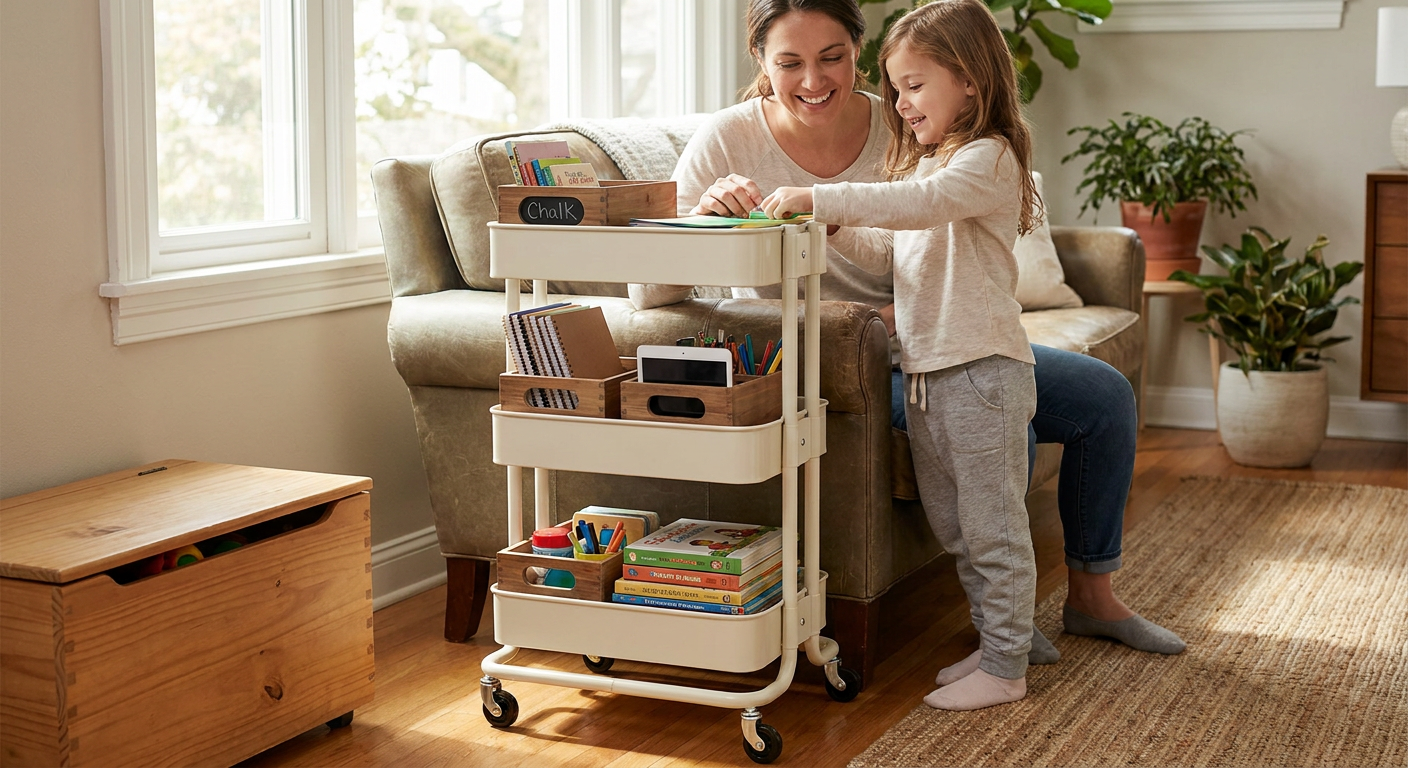
- Embrace Mobility: A rolling cart is a multi-tiered, wheeled storage unit that acts as a mobile homeschool station. It's a homeschooler's best friend in a small space. You can load it up with everything you need for the day and roll it to the kitchen table or living room. At the end of the day, it rolls neatly back into a closet or corner, allowing you to reclaim your living space.
- Invest in Multi-Functional Furniture: An ottoman with built-in storage can hide a multitude of books and games. A coffee table with a lift-top can become a perfect work surface for a child.
- Digitize What You Can: Instead of buying boxes of physical curriculum, consider using digital versions when available. Store student work and records in the cloud using a service like Google Drive or a dedicated homeschool app, which drastrically reduces paper clutter.
- Implement a "One In, One Out" Rule: To keep clutter at bay, make a rule that for every new book, game, or curriculum kit that comes into the house, one must be sold, donated, or passed along.
By being intentional about what you bring into your space and how you store it, you can create a beautiful and functional learning environment, no matter the square footage.
What Are the Homeschool Record Keeping Requirements for 2026?
Homeschool record keeping in 2026 is an essential practice for ensuring legal compliance, creating valuable learning portfolios, and tracking your child's unique educational journey. While requirements vary significantly by state, most involve some form of tracking attendance, subject coverage, and samples of work. Thinking of this as "crafting a story of learning" rather than a chore can transform your perspective.
These records serve two primary purposes. First, they demonstrate that you are providing an education that meets your state's legal standards. Second, they become an invaluable treasure trove for your family, showcasing growth and progress over time. For high school students, these records are the foundation for building a robust transcript for college applications or career paths.
Most states' requirements fall into a few key categories:
- Attendance: A simple log showing the number of days of instruction. This can be as easy as marking days on a calendar.
- Curriculum: A list of the curriculum and resources you are using for each subject.
- Work Samples: A collection of assignments, projects, and tests from throughout the year for each subject. It's best to choose samples from the beginning, middle, and end of the year to show progress.
- Assessments: In some states, this may include standardized test scores or an evaluation from a certified professional. For example, some homeschoolers are familiar with Pennsylvania's portfolio review requirement.
Organizing these records doesn't have to mean endless binders. Many families now use digital tools to streamline the process. You can use platforms like Google Drive to create folders for each child and each subject, storing photos of projects, PDFs of completed work, and notes on progress. For a detailed guide on digital solutions, check out our 2026 guide to homeschool record keeping software.
⚠️ Caution: Homeschool laws change. Always verify your state's specific record-keeping requirements at the beginning of each school year through your state's department of education or a reputable organization like the Home School Legal Defense Association (HSLDA).
What Is a Homeschool LMS for Parents (and Do You Need One)?
A Homeschool Learning Management System (LMS) is a comprehensive digital platform that gives parents a powerful, centralized dashboard to plan curriculum, manage assignments, track progress, and organize resources. While LMS platforms like Canvas and Google Classroom have been used in traditional schools for years, a new generation of systems designed specifically for the home has emerged, revolutionizing how families organize their educational journey.
Think of a homeschool LMS as your digital command center. Instead of juggling paper planners, spreadsheets, and a dozen different educational apps, an LMS brings everything together. This is a significant step up from a simple digital planner, offering a more integrated and automated experience. Key benefits often include:
- Automated Record Keeping: Many systems automatically log completed assignments, attendance, and grades, making portfolio reviews and transcript creation much easier.
- Centralized Resource Hub: You can upload or link to all your digital resources—videos, articles, PDFs, and websites—right within the lesson plan.
- Student-Facing Dashboards: Some platforms provide a separate login for kids, giving them a clear, interactive list of their daily tasks, which fosters independence.
- LearnSpark Planning: Emerging tools in 2026 are using LearnSpark to help generate lesson ideas, create quizzes from your materials, and suggest activities based on your child's interests.
While not a necessity for every family, a homeschool LMS can be a game-changer for parents managing multiple children, those needing detailed records for state compliance, or anyone who loves the efficiency of an all-in-one digital solution.
Frequently Asked Questions
What's the best age to start teaching kids to manage their own schoolwork?
You can start teaching basic organizational skills as early as kindergarten (ages 5-6). Begin with simple visual aids like a picture-based checklist and a physical "done" basket. As they grow, you can gradually introduce more complex tools like a weekly planner around ages 8-9 and digital tools in middle school. The key is to match the tool and the level of responsibility to their developmental stage.
How do I manage assignments if we follow an unschooling or interest-led approach?
For unschooling families, "assignment management" looks different. Instead of pre-planned tasks, it's more about documenting learning as it happens. You can use a journal, a private blog, or a digital portfolio app to log activities, projects, and discoveries. Take photos, write down insightful questions your child asks, and save creations. This creates a rich record of their interest-led journey that can still fulfill state record-keeping requirements.
Are printable homeschool assignment sheets still useful in 2026?
Absolutely! Despite the rise of digital tools, printable assignment sheets remain incredibly effective. They provide a simple, tangible, and distraction-free way for kids to see their tasks for the day. The physical act of checking off a box is very motivating for many children. Many families use a hybrid system: a digital tool for long-term planning and record-keeping, and a daily printable sheet for the child's immediate focus.
Conclusion: Creating Calm and Confidence in Your Homeschool
Mastering how to manage homeschool assignments is less about finding a single "perfect" tool and more about building a consistent, flexible rhythm that serves your family. By establishing a simple workflow, choosing the right planner for your style, and intentionally teaching your children how to organize their own work, you replace chaos with calm. This frees up your mental energy, allowing you to focus on what truly matters: connecting with your kids and nurturing their love of learning.