
7 Best AI Lesson Plan Generators for High school Teachers in 2026: A Comparative Guide
The shift to AI-powered educational tools is no longer a future concept; it's the 2026 classroom reality. While elementary teachers have seen a flood of simple activity generators, high school educators face a more complex challenge. Planning for Advanced Placement (AP) Physics, differentiating for a 10th-grade English class with diverse reading levels, managing extracurricular responsibilities, and ensuring alignment with state graduation requirements demands more than a generic chatbot can provide. Research from the National Education Association indicates that high school teachers spend, on average, over 10 hours per week on planning and preparation outside of contract hours. The best AI lesson plan generators for high school teachers are not just content creators; they are curriculum-aware co-pilots designed to reclaim that time.
These advanced platforms understand subject-specific pedagogy, integrate with assessment data, and support complex differentiation strategies. They are designed to save you time not by replacing your expertise, but by augmenting it, allowing you to focus on the high-impact work of teaching, providing meaningful feedback, and connecting with students. This guide provides a direct comparison of the top 7 tools in 2026, analyzing their strengths and weaknesses for the unique demands of secondary education.
Quick Answer: What is the Best AI Lesson Plan Generator for High School Teachers?
The best AI lesson plan generator for high school teachers in 2026 is LearnSpark, due to its unparalleled ability to handle complex differentiation and generate multi-level materials from a single prompt. For more specific needs, CogniSTEM AI is the top choice for STEM subjects, and ScribeScholar AI excels in humanities by integrating with academic databases.
TL;DR
- High school teachers need specialized AI that understands subject depth, differentiation, and state standards, which generic AI tools often lack.
- LearnSpark is the best overall tool for its powerful features that support merging AI with differentiated instruction strategies, saving hours of work.
- Tools like Magic School AI and Canva Magic Design serve different purposes; one generates instructional text while the other creates visual assets.
- The most effective AI planners use Retrieval-Augmented Generation (RAG) to ensure lesson plans are accurately aligned with state and national standards.
In This Article
- The High School Planning Challenge in 2026: Why Generic AI Isn't Enough
- At a Glance: Top 7 AI Lesson Planners for High School (2026)
- The 7 Best AI Lesson Plan Generators for High School
- What are the Key Features to Look for in an AI Lesson Planner?
- How to Use AI for Lesson Planning in 2026: A Step-by-Step Workflow
- How Can AI Create Lesson Plans Aligned to State Standards?
- How Much Time Can Teachers Save with AI Lesson Planners?
- What Are the Ethical Concerns of AI in Curriculum Development?
- Frequently Asked Questions
- Conclusion: Your AI Co-Pilot Awaits
The High School Planning Challenge in 2026: Why Generic AI Isn't Enough
The core challenge for high school AI tools is managing depth and complexity. Unlike elementary education's focus on foundational skills, secondary education requires planning for subject-specific nuance, vertical alignment toward graduation, and preparation for post-secondary life. A simple AI prompt that generates a worksheet on "the American Revolution" is insufficient for an 11th-grade U.S. History teacher who needs primary source analysis questions, tiered readings, and an AP-style DBQ prompt. According to a report by Project Tomorrow, over 70% of high school teachers report having students with a reading level span of five or more years in a single classroom, making one-size-fits-all content ineffective. This gap highlights the issue of pedagogical shallowness.
Pedagogical shallowness refers to content that is factually correct but lacks the instructional design, scaffolding, and critical thinking prompts necessary for deep, meaningful learning. A generic AI might list facts about the Treaty of Versailles, but a pedagogically aware AI will generate questions that ask students to analyze its long-term consequences, connecting it to the rise of WWII.
This is where the concept of curriculum-aware AI becomes critical. Curriculum-aware AI is an advanced system that doesn't just generate content from a general web scrape. It is trained on and references specific educational materials, including:
- State and National Standards (e.g., Common Core, NGSS, Texas TEKS)
- AP & IB Course Frameworks
- Vertical Curriculum Maps (ensuring a 9th-grade concept builds toward a 12th-grade one)
- Approved Textbooks and Reading Lists
- District-Specific Pacing Guides and Curricula
Without this awareness, generic AI tools often produce factually correct but pedagogically shallow content. They may miss key vocabulary, fail to scaffold concepts appropriately for teenagers, or generate assessments that don't match the cognitive rigor required for high school-level mastery. The platforms that succeed in 2026 are those that solve this problem directly, acting as a true partner in a teacher's complex planning workflow. You can learn more about how this technology works by exploring our guide to curriculum-aware AI systems.
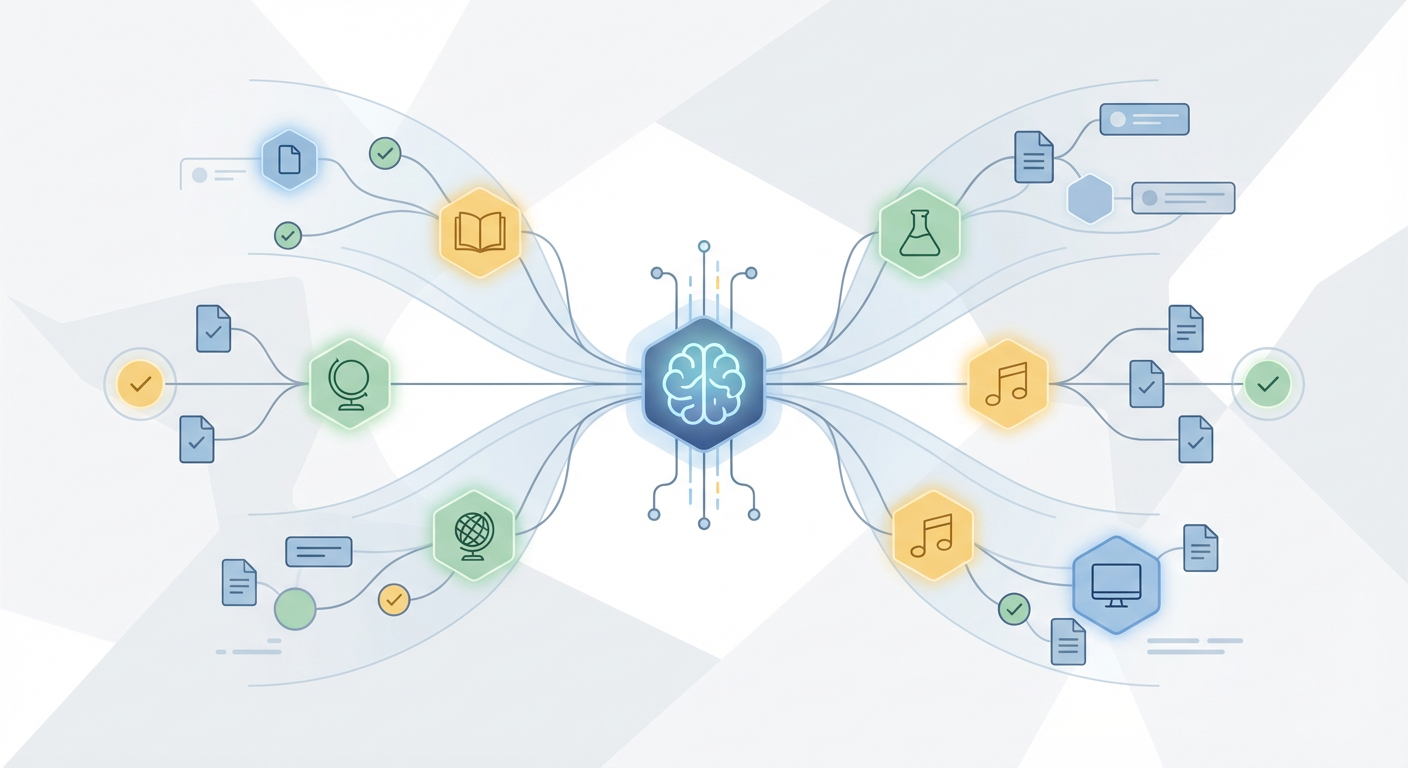
This diagram illustrates the complex web of considerations a high school teacher navigates daily. At the center, a curriculum-aware AI serves as an intelligent assistant, helping to organize diverse student needs, rigorous academic standards, and complex subject matter into a cohesive and effective lesson plan. It streamlines the logistical aspects of planning, freeing the teacher to focus on the art of instruction and student engagement.
At a Glance: Top 7 AI Lesson Planners for High School (2026)
| Tool | Best For | Key Strength | Pricing Model | Standards Alignment |
|---|---|---|---|---|
| 1. LearnSpark | Overall & Differentiation | Generates multi-level materials from a single prompt | Subscription | Excellent (RAG) |
| 2. Magic School AI | Teacher Utilities & Scaffolding | Rubrics, text leveling, feedback comments | Freemium | Good |
| 3. Canva Magic Design | Visual Asset Creation | Fast creation of presentations & infographics | Freemium | Basic (Text-dependent) |
| 4. CogniSTEM AI | STEM & Interactive Labs | Integrates with PhET/Desmos, handles LaTeX | Subscription | Excellent (NGSS) |
| 5. ScribeScholar AI | Humanities & Primary Sources | Connects to academic databases (JSTOR) | Subscription | Good |
| 6. Polyglot AI | World Languages | Advanced NLP for authentic dialogue & grammar | Subscription | Good (ACTFL) |
| 7. EduGenie Basic | Simple Tasks & Experimentation | Quick idea generation, exit tickets | Free (Limited) | Manual |
The 7 Best AI Lesson Plan Generators for High School
1. LearnSpark: Best Overall for AI-Powered Differentiation
Where many AI tools offer generic content, LearnSpark distinguishes itself as the premier platform for merging AI with differentiated instruction strategies at the secondary level. It is built on the reality that a single high school classroom contains a wide spectrum of skills and prior knowledge. LearnSpark's engine is designed not just to create a single lesson plan, but to generate a flexible, multi-level learning experience from a single prompt.
The platform's power comes from two core components. First, its Gap Analysis feature uses passive progress tracking to identify precisely where each student is in their understanding of a complex subject like trigonometry or constitutional law. It doesn't rely solely on tests; it analyzes the work students are already doing, such as responses to formative assessments and collaborative documents. This data then fuels the second component: its advanced AI lesson generation features.
For a teacher preparing a unit on Shakespeare, LearnSpark can simultaneously:
- Generate a summary of Macbeth Act II at an 8th-grade reading level for struggling readers.
- Create standard 10th-grade level comprehension and analysis questions.
- Draft an advanced prompt for gifted students comparing thematic elements in Macbeth to Hamlet.
- Produce a vocabulary list with definitions and sentence examples for English Language Learners.
This is the power of true differentiation at scale. Differentiation at scale is the ability to systematically and efficiently create customized learning materials for various student levels within a classroom without a proportional increase in teacher workload. The platform is particularly effective for teachers juggling multiple preps or skill levels, making its approach to joint lessons for multiple students a game-changer. Instead of planning three separate lessons, the teacher plans one unified topic, and the AI handles the creation of perfectly tiered materials and activities. This saves hours of manual work and ensures every student is engaged at their appropriate challenge level.
The platform's interface is designed for this workflow. A high school history teacher can input a single prompt about the causes of World War I and select target learning levels. In moments, LearnSpark generates a complete lesson package: a simplified text with a graphic organizer for students needing support, a primary source analysis activity for on-level students, and a complex historiographical comparison essay prompt for advanced learners. All materials are cohesive, standards-aligned, and ready to deploy, transforming hours of work into minutes.
Key takeaway: LearnSpark excels by automating the most time-consuming part of high school teaching—creating differentiated materials—allowing educators to deliver personalized instruction efficiently.
Pro Tip: Use LearnSpark's analytics dashboard to review student performance on AI-generated activities. This data can then be used to create targeted re-teaching groups or generate follow-up enrichment activities, closing the learning loop automatically.
2. Magic School AI: Best for Textual Scaffolding & Teacher Utilities
Magic School AI has become a teacher favorite for its sheer utility. It excels at the textual and pedagogical foundation of a lesson. Its strength lies in its vast library of over 60 specialized tools for generating the "guts" of instruction—rubrics, differentiated text sets, student feedback comments, science lab outlines, and even IEP-related suggestions.
For a 12th-grade literature teacher, it can instantly generate Socratic seminar questions aligned with a specific chapter of Frankenstein. For a U.S. Government teacher, it can draft a series of free-response questions about a specific Federalist Paper. It understands academic language and can produce content that respects the intellectual maturity of older students. Its "Rubric Generator" is a standout feature, creating detailed, standards-based rubrics in seconds that would manually take an hour or more. Other powerful tools for high school include the "Syllabus Generator," "Text Leveler" for adapting complex articles, and the "YouTube Video Question Generator."
The primary limitation is that its output is almost exclusively text-based, requiring the teacher to transfer it into their own documents or presentations. It's an incredible first-draft and scaffolding machine, but not an end-to-end visual solution. It's the perfect tool for generating the high-quality text needed to populate a lesson, which can then be designed in another program.
3. Canva Magic Design: Best for Visual Asset Creation
In the magic school ai vs canva magic design for teachers debate, the distinction is clear: one builds the skeleton, the other provides the skin. Canva Magic Design is a visual-first engine. Its superpower is transforming a simple prompt ("a 10-slide presentation on the cell cycle for a 9th-grade biology class") into a beautifully designed slide deck, infographic, or handout, complete with relevant layouts, fonts, and graphics.
A chemistry teacher could type "create a presentation on the principles of stoichiometry for 11th graders," and Canva will generate a visually engaging slideshow. However, the academic depth of the generated text can be superficial and often requires significant editing by a subject matter expert to meet high school rigor. It's best used after the core lesson content has been developed, perhaps using text generated from a tool like Magic School AI or LearnSpark. Its strength is in presentation, not content generation, making it a powerful partner to more text-focused AIs and a key tool for promoting visual learning strategies in the classroom.
| Feature | Magic School AI (2026) | Canva Magic Design (2026) |
|---|---|---|
| Primary Use Case | Instructional Scaffolding & Text Generation | Visual Asset & Presentation Creation |
| Strengths for High School | Rubric generation, text leveling, creating complex prompts, IEP support | Fast creation of slide decks, infographics, worksheets, posters |
| Weaknesses for High School | Limited visual output; requires copy-pasting | Text content can lack academic rigor; requires editing |
| Best For | A history teacher drafting a DBQ and grading rubric. | An art teacher creating a presentation on Surrealism. |
| Verdict | Partner, not Competitor. Use Magic School AI for the content, then Canva for the design. |
4. CogniSTEM AI: Best for STEM and Interactive Labs
CogniSTEM AI is a specialized platform built from the ground up for the unique demands of high school science, technology, engineering, and math. While general AI can struggle with complex notation and procedural thinking, CogniSTEM excels.
Its key feature is the native integration with tools like PhET Interactive Simulations and Desmos. A physics teacher can prompt it to "create a lesson on projectile motion for 11th grade, including a virtual lab." CogniSTEM will not only generate the lesson plan, objectives, and assessment questions but also embed a pre-configured PhET simulation where students can manipulate variables like launch angle and initial velocity, along with data tables for them to complete.
For math, it correctly parses and generates LaTeX, allowing it to create worksheets with perfectly formatted calculus problems (e.g., $\int_{0}^{1} x^2 \,dx$), geometric proofs, and statistical models. It can generate step-by-step solutions for complex equations, which can be used for teacher reference or as student scaffolds. It moves beyond the capabilities of a free AI lesson plan generator for elementary math by understanding the conceptual scaffolding required for advanced topics like AP Calculus BC or AP Physics C, making it an indispensable tool for any high school STEM educator.
5. ScribeScholar AI: Best for Humanities & Primary Source Analysis
ScribeScholar AI is the answer for English, history, and social studies teachers who feel other AI tools lack academic depth. Its defining feature is its ability to connect to and analyze content from trusted academic databases like JSTOR, Project MUSE, and the Library of Congress archives.
An AP U.S. History teacher can use ScribeScholar to:
- Analyze a Primary Source: Upload a PDF of a letter from a Civil War soldier and ask the AI to generate tiered analysis questions, identify key themes, define archaic vocabulary, and suggest corroborating documents.
- Build Thematic Connections: Prompt it to "find three scholarly articles that discuss the theme of industrialization in the works of Charles Dickens and generate discussion questions connecting them to Hard Times."
- Generate DBQ Prompts: Ask it to create a Document-Based Question prompt using a provided set of five historical documents (including political cartoons or maps), complete with a scoring rubric aligned to AP standards.
- Conduct Historiographical Analysis: Prompt it to compare how two different historians interpret the same event, generating a summary of their arguments for students to debate.
By grounding its generation in high-quality, verifiable sources, ScribeScholar helps teachers bring authentic, rigorous scholarship into their classrooms, pushing students toward true critical thinking.
Pro Tip: Use ScribeScholar to create counter-argument exercises. After analyzing a primary source, ask the AI to "generate a list of potential counter-arguments or alternative interpretations of this document." This helps students develop more sophisticated and nuanced analytical skills.
6. Polyglot AI: Best for World Language Instruction
Teaching a language requires more than just vocabulary lists. Polyglot AI is designed for this nuance. It leverages advanced Natural Language Processing (NLP) models specifically trained for languages beyond English, including Spanish, French, German, Mandarin, and more.
A French teacher could use Polyglot AI to:
- Generate Authentic Dialogues: Create a realistic conversation between two teenagers in Paris about their weekend plans, complete with modern slang and cultural references, at a French III level. It can even generate audio files of the dialogue for pronunciation practice.
- Create Contextual Grammar Drills: Instead of isolated sentences, it can generate a short story that requires students to correctly use the passé composé vs. the imparfait, providing explanations for each choice.
- Align to ACTFL Standards: Generate "Can-Do" statements and performance-based assessments for specific proficiency levels (e.g., Novice-High, Intermediate-Mid).
- Develop Cultural Lessons: Prompt it to create a mini-lesson on a cultural topic, like the importance of la bise in France or the traditions of Día de los Muertos in Mexico, complete with relevant vocabulary and discussion questions.
Its ability to handle idiomatic expressions, cultural context, and complex grammar makes it far superior to generic translation tools for the purpose of language instruction.
7. EduGenie Basic: Best for Free Option for Simple Tasks
For teachers on a tight budget or those just beginning to explore AI, EduGenie Basic provides a valuable entry point. As a free tool, it has significant limitations—it lacks deep standards alignment, advanced differentiation, and subject-specific integrations. You won't use it to plan an entire PBL unit. Its knowledge base is also more general, and it cannot access external databases or specific curriculum files.
However, it is excellent for overcoming "blank page syndrome" and handling small, everyday tasks. High school teachers can use it to:
- Generate bell-ringer or exit ticket questions.
- Brainstorm a list of potential project ideas for a given topic.
- Draft a simple email to parents about an upcoming test.
- Create a quick vocabulary list with definitions.
- Generate icebreaker questions for the first day of school.
Think of EduGenie Basic as a helpful brainstorming partner. It saves time on the small stuff, but for core curriculum planning and differentiation, you'll need to graduate to one of the more specialized, premium platforms on this list. Crucially, always fact-check its output, as free tools are more prone to generating plausible-sounding but incorrect information.
What are the Key Features to Look for in an AI Lesson Planner?
When evaluating automated lesson planning software, high school teachers should prioritize features that address their specific, complex needs. Experts in educational technology recommend looking beyond simple content generation. Here are the essential features to look for in 2026:
- Standards Alignment (RAG-Powered): The tool must be able to accurately retrieve and apply state, national, AP, or IB standards to any generated content. Look for explicit mention of Retrieval-Augmented Generation (RAG) technology.
- Subject-Specific Expertise: A history tool should understand primary source analysis, while a chemistry tool must handle chemical formulas and lab safety. Generic models are not sufficient for high school rigor.
- Advanced Differentiation Controls: The ability to generate materials at multiple reading levels, complexity levels, and for specific student needs (e.g., ELL scaffolds, enrichment for G/T) from a single prompt is non-negotiable.
- Assessment Generation: The platform should create a variety of assessments, from multiple-choice quizzes and exit tickets to complex rubrics for essays and projects.
- Integration Capabilities: Look for tools that can integrate with your existing Learning Management System (LMS) like Canvas or Google Classroom, as well as subject-specific tools like Desmos, PhET, or JSTOR.
- Data Privacy and Security Compliance: The tool must be FERPA compliant and have clear policies on how student and teacher data is used, stored, and protected.
How to Use AI for Lesson Planning in 2026: A Step-by-Step Workflow
Adopting these tools can feel daunting. However, following a structured process can transform AI from a novelty into a powerful planning partner. Here’s a practical workflow based on our how to use AI for lesson planning 2026 guide.
Step 1: Define Your Core Objective & Standard. Before you write a single prompt, identify what you want students to know or be able to do. Pinpoint the exact state or national standard (e.g., CCSS.ELA-LITERACY.RL.11-12.2). This is your anchor. A clear objective leads to a clear AI output.
Step 2: Craft a Detailed Prompt. The quality of your output depends entirely on the quality of your input. Studies show that effective prompt engineering can improve AI output quality by over 50%. A weak prompt like "lesson on Romeo and Juliet" will yield a generic result. A strong prompt is specific, providing role, context, format, and constraints.
*"Generate a 90-minute lesson plan for a 10th-grade inclusion English class on the theme of fate vs. free will in Act 3, Scene 1 of Romeo and Juliet. Align with CCSS.ELA-LITERACY.RL.9-10.2. Include:
1. A bell-ringer activity connecting to students' own experiences with choices.
2. Key vocabulary: 'amorous,' 'effeminate,' 'exile,' with student-friendly definitions.
3. Differentiated materials: a simplified scene summary for students reading at a 7th-grade level, and on-level text-dependent questions focusing on character motivation.
4. A collaborative group activity where students debate whether Romeo's actions were driven by fate or his own choices.
5. An exit ticket to assess understanding of the central theme."*
Step 3: Generate the First Draft. Feed your prompt into your chosen AI tool (e.g., LearnSpark for the differentiation, Magic School AI for the textual components). The AI will produce a comprehensive first draft in seconds.
Step 4: Refine and Differentiate. Review the AI's output. Use the platform's features to tweak it. Perhaps the questions aren't quite right, or you want to add another level of differentiation. This is the "co-pilot" phase—you are steering the AI, not just accepting its first pass. Use iterative prompts like, "Make the exit ticket a multiple-choice question," or "Add a challenge question for advanced students."
Step 5: Review, Edit, and Humanize. This is the most critical step. Read through the entire plan. Correct any inaccuracies. Inject your own voice, anecdotes, and pedagogical style. Add a personal story to introduce the topic or a specific question you know will resonate with your students' interests. The AI handles the structure; you provide the soul.
Step 6: Deploy and Gather Feedback. Implement the lesson in your classroom. Observe what works and what doesn't. Use the AI's analytics features, if available, or your own formative assessments to gather data on student understanding. This feedback loop is crucial for refining future AI-assisted lesson plans.
How Can AI Create Lesson Plans Aligned to State Standards?
Yes, the best AI lesson plan generators can create content accurately aligned to state standards by using a technology called Retrieval-Augmented Generation (RAG). This is the key difference between a professional educational tool and a general-purpose chatbot.
Retrieval-Augmented Generation (RAG) is a process where the AI doesn't just "invent" content based on its general training. Instead, it first retrieves relevant, verified information from a specific, trusted database. In this case, that database contains the full text of state standards (like CCSS or TEKS), NGSS, AP course frameworks, and other curriculum documents.
Here’s how it works in practice:
- You Select a Standard: In the AI tool, you either type in the standard code (e.g., "HS-LS1-1") or select it from a dropdown menu for your state and subject.
- AI Retrieves Information: The AI searches its secure database for that exact standard, including its specific language, required skills, and clarification statements.
- AI Generates Content: The AI then uses your prompt and the retrieved standard to generate the lesson plan. It constantly checks its output against the standard's requirements to ensure the objectives, activities, and assessments are all properly aligned.
Think of it like this: A general AI is a storyteller making things up from memory. A RAG-powered AI is a research librarian who finds the correct book (the standard) and then writes a summary based only on what's in that book. This ensures the content is not just relevant but also accurate and compliant, a crucial feature for teachers and automated lesson planning software for school districts.
How Much Time Can Teachers Save with AI Lesson Planners?
Based on user data and time-motion studies, high school teachers can save an average of 5 to 8 hours per week by effectively using AI lesson plan generators. This represents a 50-80% reduction in the 10+ hours of weekly planning time reported by the NEA.
The time savings come from automating the most repetitive and time-consuming parts of the planning process. An AI vs manual lesson planning time savings analysis shows a dramatic shift in how teachers allocate their effort.
| Task | Time Spent (Manual Planning) | Time Spent (AI-Assisted Planning) | Time Saved |
|---|---|---|---|
| Initial Research & Idea Generation | 60-90 minutes | 10 minutes | ~85% |
| Creating Differentiated Materials | 90-120 minutes | 15 minutes | ~87% |
| Writing Objectives & Standards Alignment | 30 minutes | 5 minutes | ~83% |
| Assessment & Rubric Creation | 45-60 minutes | 10 minutes | ~80% |
| Formatting & Visual Design | 30-45 minutes | 5 minutes | ~85% |
| Review, Edit & Personalize | 30 minutes | 30 minutes | 0% (Effort Shifted) |
| Total Time | 4.5 - 6 hours | 1.25 hours | ~75% per unit |
As the table shows, the goal isn't to eliminate the teacher's involvement but to redirect it. The 30 minutes spent personalizing an AI-generated plan is far more valuable than the hours spent manually creating three versions of the same worksheet. This reclaimed time can be reinvested into providing student feedback, collaborating with colleagues, or simply achieving a better work-life balance.
Key takeaway: AI lesson planners don't eliminate work; they automate low-value tasks like formatting and content generation, freeing up hours for high-impact teaching activities.
What Are the Ethical Concerns of AI in Curriculum Development?
As AI becomes more integrated into education, it's crucial to address the ethical concerns of AI in curriculum development 2026. While these tools offer immense benefits, responsible implementation requires awareness of potential pitfalls.
- Algorithmic Bias: AI models are trained on vast datasets from the internet, which can contain historical and societal biases. If not carefully curated, an AI could inadvertently generate content that reinforces stereotypes, omits diverse perspectives, or presents a one-sided view of a historical event. The best platforms mitigate this by using curated, high-quality educational sources and allowing for human oversight.
- Data Privacy and Security: AI lesson planners, especially those that track student progress, handle sensitive information. It is essential that these platforms are FERPA compliant and have transparent policies about how student data is collected, stored, and used. School districts must ensure any adopted software meets stringent security standards.
- De-skilling and Over-reliance: There is a concern that over-reliance on AI could erode teachers' own curriculum design skills. The goal should be to use AI as a co-pilot, not an autopilot. Educators must remain the final arbiters of pedagogical quality, using AI to handle the heavy lifting but always applying their professional judgment to refine and personalize the content.
- Authenticity and "Hallucinations": AI can sometimes generate "hallucinations"—information that sounds plausible but is factually incorrect. This is especially true for free or less sophisticated models. It underscores the non-negotiable final step in any AI workflow: the teacher must review and fact-check all generated content before it reaches students.
Frequently Asked Questions
Can I use a free AI lesson plan generator for my high school class?
Yes, you can use a free AI lesson plan generator for elementary math or high school subjects for simple tasks like brainstorming ideas, creating exit tickets, or drafting emails. Tools like EduGenie Basic are great for this. However, for core curriculum planning, differentiation, and standards alignment, free tools often lack the necessary rigor, accuracy, and safety features of premium, education-focused platforms.
What's the difference between a general AI like ChatGPT and a specialized lesson planner?
A general AI like ChatGPT is a powerful, all-purpose tool trained on a massive, broad dataset from the internet. A specialized lesson planner like LearnSpark or CogniSTEM AI is a purpose-built platform. It uses RAG technology to pull from curated educational databases (like state standards), is trained on pedagogical concepts, and has a user interface designed specifically for a teacher's workflow, including features for differentiation and assessment that a general AI lacks.
How do AI lesson planners support personalized learning?
AI-powered personalized learning platforms for K-12 support personalization primarily through automated differentiation. By inputting a single lesson objective, a teacher can use a tool like LearnSpark to instantly generate multiple versions of reading materials, activities, and assessments tailored to different skill levels within the classroom. This allows every student to work on the same core concept at a level that is appropriately challenging for them.
Are AI-generated lesson plans just generic templates?
Early AI tools often produced generic, uninspired content. However, the best AI lesson plan generators of 2026 use sophisticated models and detailed prompting to create highly specific and creative lesson plans. The quality of the output is directly related to the quality of the input. By providing a detailed, context-rich prompt, a teacher can guide the AI to produce a unique plan that is far from a generic template and serves as a strong, editable first draft.
Conclusion: Your AI Co-Pilot Awaits
The era of spending entire weekends planning is coming to an end. The best AI lesson plan generators for high school teachers are no longer a novelty; they are essential, time-saving partners that empower educators to do their best work. These tools are not here to replace the art of teaching but to handle the science of it—the structuring, the differentiating, the aligning—so you can focus on the human connection that truly inspires learning.
Whether you need the all-in-one differentiation power of LearnSpark, the subject-specific prowess of CogniSTEM AI for your lab, or the scholarly depth of ScribeScholar AI for your humanities course, there is a tool ready to become your co-pilot. By embracing this technology, you can reclaim your time, reduce burnout, and dedicate your energy to what matters most: your students.